The software inventory
AppBox starts from a simple premise: to control your licenses, you first need to know what is actually installed across your fleet. The agent reports, for each device, the list of applications; AppBox aggregates them into a per-application view.
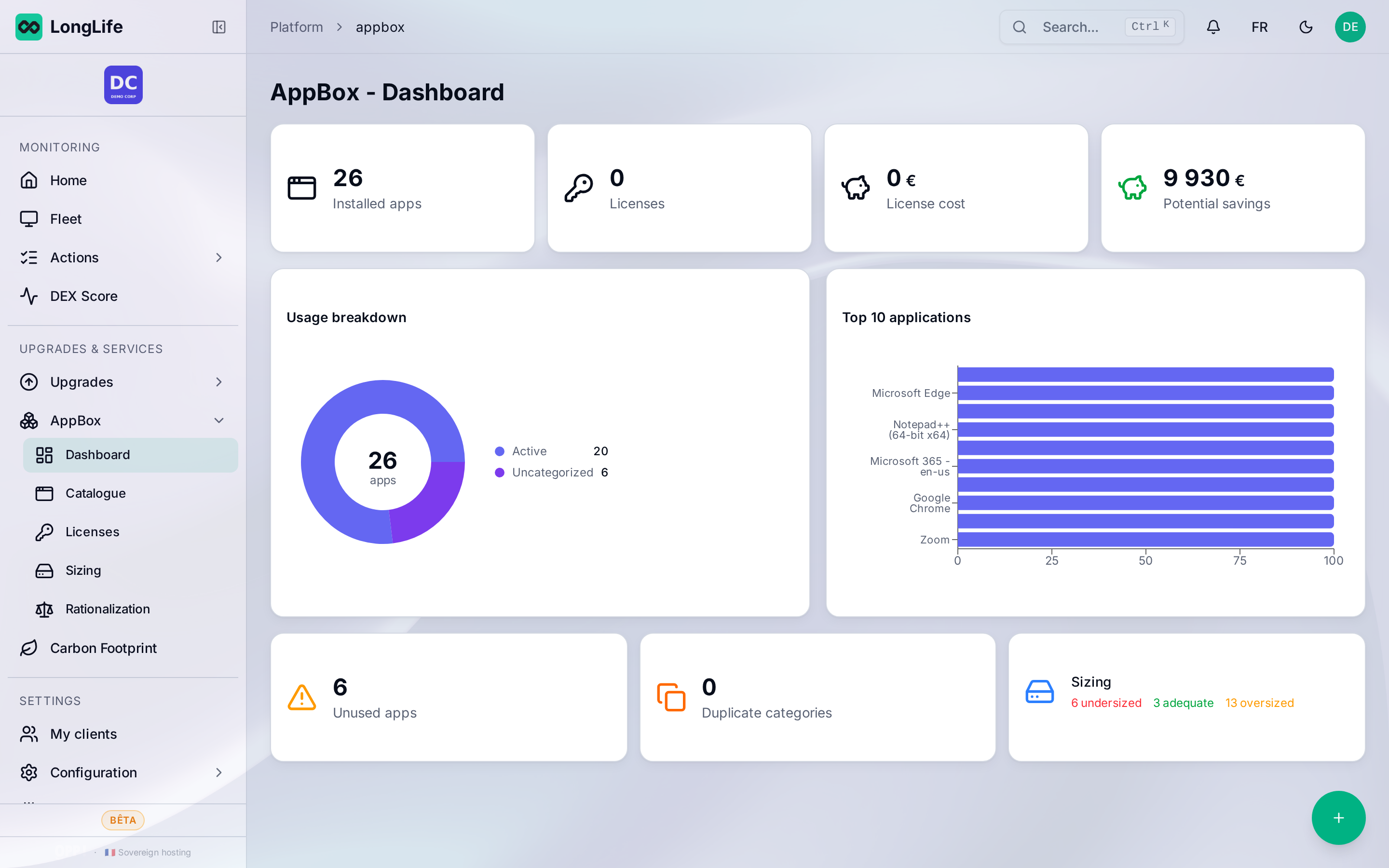
The per-application view
For each application detected across your fleet, you see:
- its name and its publisher;
- the number of devices where it is installed;
- the number of devices where it is actually used;
- its category (office, design, accounting, security, etc.).
This distinction between installed and used is what makes AppBox valuable: an application can be present on 40 devices but used on only 12.
Where the data comes from
The LongLife agent records installed applications and measures their real usage (foreground time). Nothing is declarative: AppBox relies on the usage observed on devices. See What the agent collects.
What about online (SaaS) software?
The agent also detects certain SaaS services in use (from network traffic), which helps spot online subscriptions that are sometimes undeclared. This feeds the "shadow IT" part covered in rationalization.
Next step
Once the inventory is in place, two notions structure the rest:
- Measuring real usage (unused / rarely used / used);
- Owned, installed, used (the gap that quantifies waste).